Moadra full demo playthrough: Guide and Tips
Plan your Moadra full demo playthrough with exploration tips, combat advice, updated demo features, and details on save transfers.
Before You Explore Protea VI
A Moadra full demo playthrough is your chance to test an alien world where finding the next path matters as much as surviving the next fight. That matters because the updated demo supports progress transfer to the full game, giving your exploration value beyond the trial. This Moadra full demo playthrough guide explains how to prepare, approach the game’s systems, and distinguish confirmed demo features from broader gameplay details.
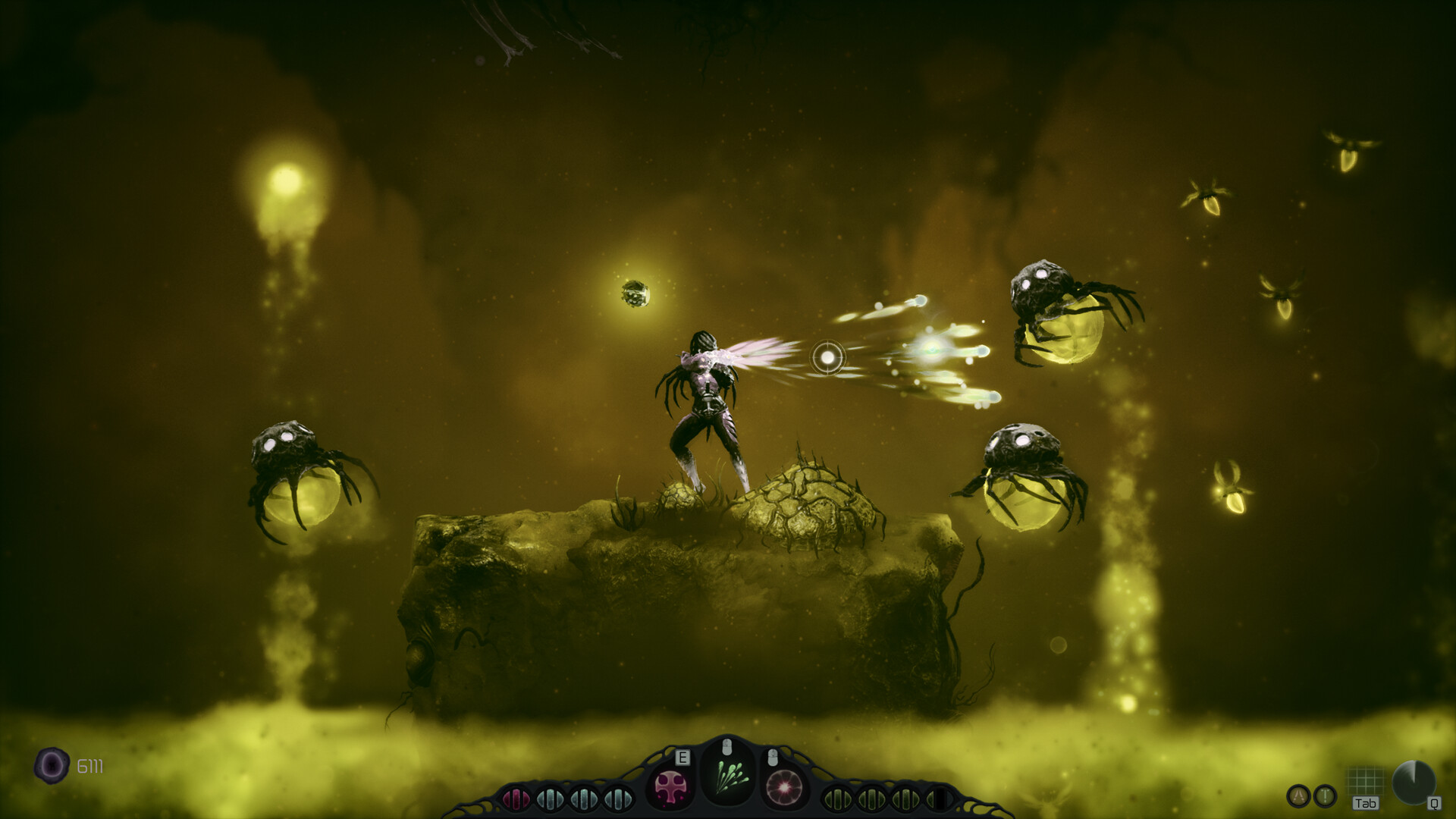
Official screenshot · Source: Steam store
One important limitation: the available official information does not establish a room-by-room demo route, exact completion time, final encounter, or complete collectible checklist. Rather than invent those details, this guide provides a spoiler-light playthrough framework grounded in Gloomsoft’s descriptions and its October 21, 2026, demo update.
What is Moadra?
Moadra is a single-player sci-fi Metroidvania developed and published by Gloomsoft. Its interconnected world, Protea VI, combines hostile wildlife, environmental hazards, hidden passages, and mysteries tied to Moadra’s Neera heritage.
The full game launched on October 22, 2026. As of October 23, its Steam listing also offers a downloadable demo.
| Detail | Confirmed information | Why it matters |
|---|---|---|
| Developer and publisher | Gloomsoft | Official announcements come from the development team |
| Setting | Protea VI | Exploration centers on a dangerous alien planet |
| Game structure | Interconnected Metroidvania | Revisited areas and ability-based exploration are important |
| Full-game release | October 22, 2026 | The demo now accompanies an available full release |
| Content warning | Frequent violence and gore | Consider this before playing or sharing footage |
For the download and current product information, visit the official Moadra Steam page and demo listing.
Set Up Your Moadra Full Demo Playthrough
Before starting, make sure Steam has installed the latest available demo update. Gloomsoft’s October 21 announcement confirms several improvements that directly affect a first run, including control rebinding, a scan logbook, and progress carryover.
These are more useful than cosmetic additions. Comfortable controls reduce mistakes during movement-heavy encounters, while a scan logbook helps organize discoveries.
| Updated demo feature | Officially confirmed behavior | Recommended preparation |
|---|---|---|
| Localizations | Added in the updated demo | Select your preferred language |
| Control rebinding | Controls can be reassigned | Adjust frequently used actions before committing to a run |
| Scan logbook | Included in the update | Review entries as you explore |
| Save carryover | Demo progress transfers to the full game | Keep your progress if you plan to continue |
| Achievement handling | Demo achievements are stored locally | Purchase and launch the full game to unlock them on Steam |
The achievement distinction is worth remembering: Gloomsoft says locally recorded demo achievements unlock on your Steam account after you purchase and launch the full game. Do not assume every achievement should immediately appear in your Steam profile while playing the trial.
Check controls before chasing progress
Use the opening stretch to assess your setup:
- Can you move and aim without uncomfortable hand positioning?
- Are important movement and scanning actions easy to reach when available?
- Is text readable at your normal viewing distance?
- Can you clearly hear useful audio cues?
The Steam listing identifies adjustable text size, subtitle options, and separate volume controls. It also lists Xbox, DualShock over USB, and DualSense controller support.
Moadra is marked Steam Deck Verified on the product page. That is useful compatibility information, but it is not a promise of a particular frame rate or battery life.
Check PC requirements carefully
The following specifications come from the main game’s Steam listing, not a separately documented demo requirements sheet.
| Component | Minimum listed requirement | Recommended listed requirement |
|---|---|---|
| Operating system | Windows 10 or 11, 64-bit | Windows 10 or 11, 64-bit |
| Processor | Quad-core processor | Intel Core i3-8100 or similar |
| Memory | 4 GB RAM | 8 GB RAM |
| Graphics | NVIDIA GeForce GTX 900 series or similar | NVIDIA GeForce GTX 970 4 GB or similar |
| DirectX | Version 12 | Version 12 |
| Storage | 9 GB available | 9 GB available |
Check the actual demo download size in Steam rather than treating the full game’s storage requirement as the trial’s exact installed size.
A Practical Exploration Plan for the Demo
The strongest approach to a Moadra full demo playthrough is methodical exploration, not blindly following an unverified sequence of turns. The official game description emphasizes hidden routes, puzzles, scanning, and evolving abilities, although it does not specify which systems or regions the demo includes in full.
Use the following plan as an exploration routine, not a guaranteed walkthrough.
| Stage | What to do | What to watch for |
|---|---|---|
| Establish your position | Review the map and available exits | Routes you have not investigated |
| Inspect unfamiliar spaces | Scan when the scanner becomes available | Concealed paths and environmental information |
| Test an obstacle | Try your currently available tools deliberately | Whether progress appears ability-dependent |
| Record the blockage | Note its location and appearance | A reason to return after an upgrade |
| Revisit selectively | Check relevant earlier obstacles after gaining a tool | New access rather than aimless backtracking |
Explore for information first
When entering unfamiliar terrain, pause long enough to understand the space. Identify enemies, hazards, possible exits, and platforms before rushing forward.
This is general exploration advice rather than a documented solution to a specific demo room. Its value is simple: learning the layout makes subsequent movement more deliberate.
For your Moadra full demo playthrough, distinguish between three kinds of unfinished business:
- Unexplored: You have not checked the route.
- Blocked: You have inspected it but cannot currently proceed.
- Uncertain: You may have missed a mechanism, passage, or movement option.
That distinction prevents repeatedly testing the same obstacle without gaining new information.
Treat scanning as part of navigation
Gloomsoft describes a scanner bot with X-ray functionality that can examine creatures and surroundings, expose concealed routes, and help map explored spaces.
Once available, use it when a room seems suspiciously closed off or an apparent dead end does not make sense. Consult the updated demo’s scan logbook rather than relying entirely on memory.
Do not assume scanning automatically solves every puzzle. It is an information tool; you still need to connect what you discover with the abilities currently available.
Revisit with a purpose
After obtaining a new tool or ability, think back to obstacles that might match it. A focused return trip is more efficient than retracing every corridor.
A useful note might read: “Upper passage near the previous junction—could not reach with current movement.” That records a practical question without pretending you already know the solution.
Combat, Movement, and Upgrade Priorities
A Moadra full demo playthrough should help you judge whether the game’s combination of movement, combat, and exploration suits you—not merely whether you can reach the trial’s endpoint.
The official description lists rolling, dodging, jumping, wall jumping, sprinting, weapons, and special abilities. It does not confirm when every move becomes accessible, so practice each option as the demo introduces it.
Learn survival before maximizing damage
In unfamiliar encounters, spend your first attempts observing:
- How an enemy signals an attack.
- Where you can stand safely.
- Which movement option creates distance reliably.
- When you can attack without taking unnecessary damage.
These are general combat principles, not verified boss-specific instructions. The available sources do not provide a reliable demo boss list or attack-pattern breakdown.
If an encounter repeatedly goes wrong, change one variable at a time. Try a safer position, a different attack window, or another available weapon. That makes it easier to identify what actually helps.
Understand Protoplasm before spending it
According to the official game description, defeated hostile organisms provide Protoplasm, a biomass resource used in organic chambers to evolve abilities and weapons.
The supplied material does not establish the demo’s upgrade tree, upgrade costs, or best purchase order. Avoid treating any universal “best build” as confirmed.
Instead, evaluate available choices against your actual difficulty:
- If survival is the problem, examine defensive options if offered.
- If movement is causing mistakes, practice execution before assuming an upgrade will fix it.
- If encounters take too long, compare the offensive choices currently available.
- If progression is blocked, inspect whether a new ability changes exploration possibilities.
This keeps decisions tied to what the demo actually presents.
Put community reports in context
Community reports from the full-game launch include difficult bosses, resource pressure, confusing navigation, and suspected progression traps. Other player experience describes enjoyable combat, smooth movement, and strong atmosphere.
These accounts are subjective and do not establish that the same situations occur in the demo.
Their practical lesson is to explore thoughtfully and check your options before committing to an unfamiliar route. Claims of a “softlock” should remain labeled as player reports unless officially confirmed; a confusing situation is not automatically a broken save.
What Counts as a Complete Demo Run?
Before starting a Moadra full demo playthrough, decide what “complete” means for your goal. Reaching the demo’s stopping point is different from documenting every accessible secret.
The available official material does not specify the demo’s length, map boundaries, final boss, or collectible total. An exact runtime or “100% route” would therefore require additional verification.
| Your goal | Sensible completion standard | Important limitation |
|---|---|---|
| Evaluate the game | Experience enough exploration and combat to decide | You do not need every secret |
| Finish the trial | Reach the demo’s stated endpoint | That endpoint is not identified in the supplied sources |
| Explore thoroughly | Recheck accessible branches and relevant obstacles | No verified collectible total is available |
| Record a walkthrough | Show the build, route, discoveries, and ending boundary | Label optional detours and unresolved areas clearly |
If you are recording your Moadra full demo playthrough, include the demo version or recording date. Older footage may predate the October 21 improvements and show different controls or features.
Useful chapter labels include setup, first exploration, scanning, upgrades, difficult encounters, and the demo endpoint. Use actual footage to establish timestamps rather than estimating them in advance.
Before closing the demo, review unresolved routes and confirm that your progress has been saved. Keep the official carryover announcement in mind, but do not invent an import procedure: the supplied announcement confirms transfer support without explaining every technical step.
FAQ: Moadra Demo Progress and Completion
How long does a Moadra full demo playthrough take?
The supplied official information does not state a verified completion time. Exploration habits, retries, and optional searching can affect your run, so treat precise estimates as unconfirmed unless they identify the demo version and completion criteria.
Does demo progress carry over to the full game?
Yes. Gloomsoft’s October 21, 2026, update explicitly confirms that demo save progress carries over to the full game. The announcement does not provide detailed transfer troubleshooting instructions.
Do achievements earned in the demo count?
Gloomsoft says demo achievements are saved locally. They unlock on your Steam account once you purchase and launch the full game, rather than necessarily appearing as Steam unlocks during the trial.
Is this a verified room-by-room walkthrough?
No. This is a preparation and exploration guide based on official product information and the demo update. It deliberately avoids inventing room sequences, boss strategies, secret locations, or completion statistics that the available sources do not establish.
Related Guides
Moadra demo gameplay: Combat, Exploration, and Tips
Explore Moadra demo gameplay, learn what Steam confirms, and get practical tips for combat, exploration, upgrades, and checking performance.
Moadra demo: Download, Save Transfer, and PC Guide
Download the Moadra demo on Steam, learn how saves and achievements transfer, check PC requirements, and see what changed in the latest update.
Moadra price: Steam Launch Deal and Buying Guide
Check the Moadra price, Steam's $22.49 launch offer, its November 5 deadline, Xbox availability, and free demo details before buying.
Moadra Steam: Price, Demo, and Steam Deck Guide
Explore Moadra Steam pricing, demo save transfers, Steam Deck support, PC requirements, and launch feedback before buying.
Moadra demo boss: Combat Tips and Prep Guide
Prepare for the Moadra demo boss with practical combat tips, upgrade priorities, and a retry checklist, plus clear limits on confirmed encounter details.